In today’s digital age, our mobile devices have become an essential part of our daily lives. We use them for communication, entertainment, productivity, and so much more. With the increasing amount of apps, files, and data that we store on our devices, it’s easy for them to become cluttered and disorganized. This can lead to decreased performance, slower processing speeds, and even potential security risks. Therefore, it’s crucial to regularly declutter and organize your mobile device to ensure that it continues to function optimally.When your mobile device is cluttered with unnecessary apps and files, it can slow down its performance and drain its battery life. This can be frustrating and inconvenient, especially when you need your device to work efficiently on a daily basis. Additionally, a cluttered device can make it difficult to find the apps and files that you actually need, leading to wasted time and decreased productivity. Furthermore, having too many unused apps and files on your device can also pose security risks, as they may contain outdated software or vulnerabilities that could be exploited by hackers. Therefore, decluttering your mobile device is not only beneficial for its performance but also for its security. Just like any other electronic device, mobile phones require regular maintenance to ensure that they continue to function optimally. Over time, wear and tear can take a toll on a phone’s hardware and software, leading to decreased performance and potential issues. Therefore, understanding the importance of regular maintenance and repairs is crucial for prolonging the lifespan of your mobile device.Regular maintenance tasks for mobile phones include cleaning the screen and ports, updating software and apps, checking for system updates, and monitoring battery health. These tasks can help prevent issues such as screen scratches, software bugs, security vulnerabilities, and battery degradation. Additionally, staying proactive with maintenance can help identify potential issues early on before they escalate into more significant problems.In addition to regular maintenance, addressing any necessary repairs promptly is essential for preserving the functionality of your mobile device. Whether it’s a cracked screen, a malfunctioning camera, or a faulty battery, seeking professional repair services can help restore your phone to its optimal condition. By addressing repairs in a timely manner, you can prevent further damage to your device and ensure that it continues to meet your needs.
Tips for Organizing Your Apps and Files
Organizing your apps and files on your mobile device can seem like a daunting task, especially if you have accumulated a large number of them over time. However, with the right approach and some helpful tips, you can effectively declutter and organize your device for improved performance and efficiency.One effective way to organize your apps is by categorizing them into folders based on their function or purpose. For example, you can create folders for social media apps, productivity apps, entertainment apps, and so on. This will make it easier to locate specific apps when you need them and reduce the clutter on your home screen. Additionally, regularly reviewing your apps and deleting those that you no longer use or need can help free up valuable storage space and improve your device’s performance.When it comes to organizing files, using a file management app can be incredibly helpful. These apps allow you to easily sort and categorize your files, making it easier to find what you need when you need it. You can also consider using cloud storage services to store and backup your files, which can help free up space on your device and ensure that your important data is safely stored.Utilizing Cloud Storage for Data Backup and Storage
Cloud storage has become an increasingly popular solution for storing and backing up data from mobile devices. With the limited storage capacity of most mobile devices, utilizing cloud storage services can help free up space on your device while ensuring that your important data is safely stored and accessible from anywhere.There are many cloud storage services available, such as Google Drive, Dropbox, iCloud, and OneDrive, each offering different features and storage capacities. These services allow you to upload and store files, photos, videos, and other data securely in the cloud, freeing up space on your device for other content. Additionally, cloud storage services often offer automatic backup features, ensuring that your data is regularly backed up and protected in the event of a device failure or loss.Utilizing cloud storage for data backup and storage not only helps declutter your mobile device but also provides peace of mind knowing that your important data is safe and accessible. With the ability to access your files from any device with an internet connection, cloud storage offers convenience and flexibility for managing your data.How to Properly Delete Unused Apps and Files
Deleting unused apps and files from your mobile device is an essential part of decluttering and optimizing its performance. However, it’s important to properly delete these items to ensure that they are completely removed from your device and do not leave behind any residual data or clutter.When deleting apps from your device, simply removing them from your home screen may not be enough to completely uninstall them. Many apps leave behind residual data such as cache files or settings even after they have been deleted. To properly delete an app, you should go into your device’s settings or app management section and uninstall the app from there. This will ensure that all associated data is removed from your device.Similarly, when deleting files from your device, it’s important to empty the trash or recycle bin to permanently remove them from your storage. This will free up valuable space on your device and prevent any residual clutter from accumulating. Additionally, regularly reviewing and deleting old or unnecessary files can help keep your device organized and running smoothly.The Benefits of Regularly Cleaning Your Phone’s Cache and Cookies
Over time, mobile devices accumulate a significant amount of cache data and cookies from browsing the internet and using various apps. This data can take up valuable storage space on your device and potentially slow down its performance. Therefore, regularly cleaning your phone’s cache and cookies is essential for maintaining its optimal performance.Cache data consists of temporary files that are stored on your device to help speed up the loading of apps and web pages. While cache data can be beneficial for improving performance, it can also accumulate over time and become outdated or unnecessary. Clearing the cache on your device can free up storage space and help improve its processing speed.Similarly, cookies are small pieces of data that websites store on your device to remember information about you, such as login credentials or site preferences. While cookies can enhance your browsing experience, they can also accumulate over time and potentially compromise your privacy. Regularly clearing your device’s cookies can help protect your privacy and ensure that your browsing experience remains secure.Understanding the Importance of Regular Maintenance and Repairs
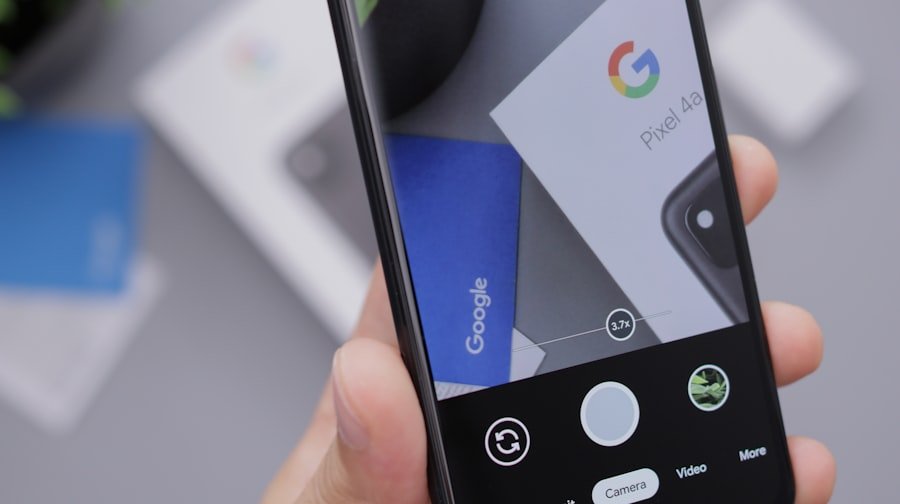 Just like any other electronic device, mobile phones require regular maintenance to ensure that they continue to function optimally. Over time, wear and tear can take a toll on a phone’s hardware and software, leading to decreased performance and potential issues. Therefore, understanding the importance of regular maintenance and repairs is crucial for prolonging the lifespan of your mobile device.Regular maintenance tasks for mobile phones include cleaning the screen and ports, updating software and apps, checking for system updates, and monitoring battery health. These tasks can help prevent issues such as screen scratches, software bugs, security vulnerabilities, and battery degradation. Additionally, staying proactive with maintenance can help identify potential issues early on before they escalate into more significant problems.In addition to regular maintenance, addressing any necessary repairs promptly is essential for preserving the functionality of your mobile device. Whether it’s a cracked screen, a malfunctioning camera, or a faulty battery, seeking professional repair services can help restore your phone to its optimal condition. By addressing repairs in a timely manner, you can prevent further damage to your device and ensure that it continues to meet your needs.