The Samsung Galaxy is a popular line of smartphones known for their sleek design and advanced technology. However, one common issue that many Samsung Galaxy users encounter is a cracked or damaged screen. Whether it’s due to a drop, impact, or other accident, a damaged screen can significantly impact the usability and aesthetics of the device. In some cases, the damage may be minor and only affect the outer glass, while in other instances, the LCD screen may also be affected, leading to display issues. Regardless of the extent of the damage, a cracked or damaged screen can be frustrating and inconvenient for users.
When a Samsung Galaxy screen is damaged, it’s important to address the issue promptly to prevent further damage and restore the functionality of the device. In some cases, a minor crack may not affect the overall performance of the phone, but over time, it can worsen and lead to more serious issues. Additionally, a damaged screen can compromise the waterproofing of the device, leaving it vulnerable to water damage. Therefore, it’s crucial to consider Samsung Galaxy screen replacement as soon as possible to ensure the longevity and performance of the device.
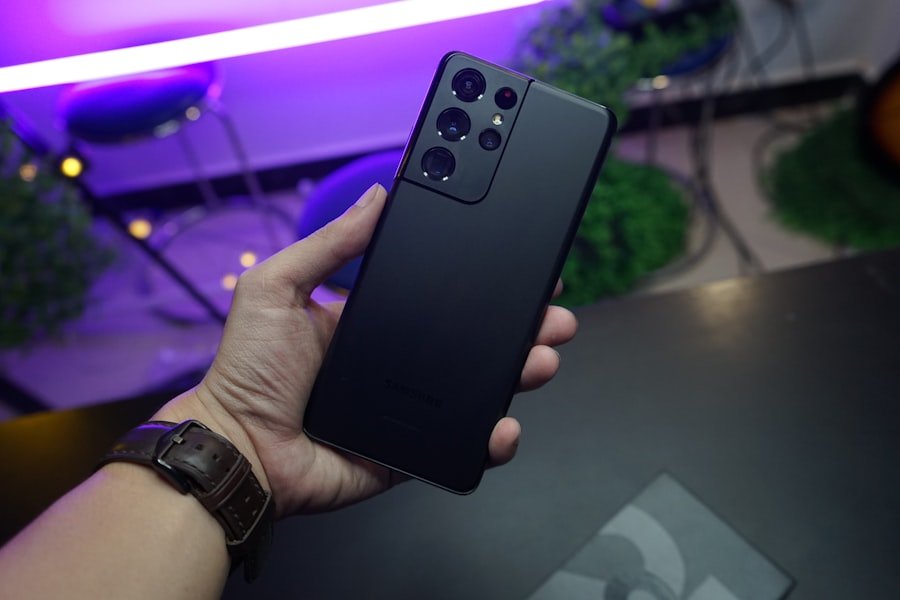 After successfully replacing your Samsung Galaxy screen, it’s important to take steps to maintain its condition and prevent future damage. Here are some tips for maintaining a new Samsung Galaxy screen:
1. Use a protective case: Investing in a high-quality protective case can help shield your phone from accidental drops and impacts that could lead to screen damage.
2. Apply a screen protector: A durable screen protector can provide an additional layer of protection against scratches and minor impacts.
3. Avoid exposing your phone to extreme temperatures: Extreme heat or cold can affect the performance and longevity of your phone’s screen. Avoid leaving your phone in direct sunlight or in extremely cold environments for extended periods.
4. Clean your screen regularly: Use a soft microfiber cloth to gently clean your phone’s screen from dust, fingerprints, and smudges. Avoid using harsh chemicals or abrasive materials that could damage the screen.
5. Handle your phone with care: Be mindful of how you handle your phone to avoid accidental drops or impacts that could lead to screen damage.
By following these tips, you can help preserve the condition of your new Samsung Galaxy screen and prolong its lifespan.
After successfully replacing your Samsung Galaxy screen, it’s important to take steps to maintain its condition and prevent future damage. Here are some tips for maintaining a new Samsung Galaxy screen:
1. Use a protective case: Investing in a high-quality protective case can help shield your phone from accidental drops and impacts that could lead to screen damage.
2. Apply a screen protector: A durable screen protector can provide an additional layer of protection against scratches and minor impacts.
3. Avoid exposing your phone to extreme temperatures: Extreme heat or cold can affect the performance and longevity of your phone’s screen. Avoid leaving your phone in direct sunlight or in extremely cold environments for extended periods.
4. Clean your screen regularly: Use a soft microfiber cloth to gently clean your phone’s screen from dust, fingerprints, and smudges. Avoid using harsh chemicals or abrasive materials that could damage the screen.
5. Handle your phone with care: Be mindful of how you handle your phone to avoid accidental drops or impacts that could lead to screen damage.
By following these tips, you can help preserve the condition of your new Samsung Galaxy screen and prolong its lifespan.
Identifying the Right Replacement Parts for Samsung Galaxy Screens
When it comes to replacing a damaged Samsung Galaxy screen, it’s essential to use high-quality replacement parts to ensure the best results. There are various replacement parts available in the market, ranging from OEM (Original Equipment Manufacturer) parts to aftermarket options. OEM parts are manufactured by the same company that produced the original parts for the device, ensuring compatibility and quality. On the other hand, aftermarket parts are produced by third-party manufacturers and may vary in terms of quality and compatibility. When choosing replacement parts for a Samsung Galaxy screen, it’s important to consider factors such as compatibility, quality, and warranty. OEM parts are generally recommended for their reliability and compatibility with the device. While aftermarket parts may be more affordable, they may not offer the same level of quality and performance as OEM parts. Additionally, using aftermarket parts may void the warranty of the device, so it’s important to weigh the pros and cons before making a decision.DIY vs Professional Replacement: Which Option is Best for You?
When it comes to replacing a Samsung Galaxy screen, users have the option to either attempt a DIY (Do-It-Yourself) replacement or seek professional repair services. Both options have their own set of advantages and disadvantages, and the best choice depends on factors such as skill level, time constraints, and budget. DIY replacement can be a cost-effective option for those who are comfortable with technology and have experience with electronics repair. There are various tutorials and guides available online that provide step-by-step instructions for replacing a Samsung Galaxy screen at home. However, DIY replacement requires patience, precision, and the right tools to ensure a successful outcome. Additionally, attempting a DIY repair may void the warranty of the device, so it’s important to consider this factor before proceeding. On the other hand, professional replacement services offer convenience and expertise in handling Samsung Galaxy screen repairs. Professional technicians have the necessary skills and experience to perform screen replacements efficiently and effectively. While professional services may come at a higher cost compared to DIY replacement, they offer peace of mind and assurance that the repair will be done correctly. Furthermore, professional repair services often provide warranties on their work, ensuring that customers are covered in case of any issues with the replacement screen.Steps to Replace a Samsung Galaxy Screen at Home
If you’ve decided to take on the challenge of replacing your Samsung Galaxy screen at home, it’s important to follow a set of steps to ensure a successful outcome. Here are some general steps to guide you through the DIY replacement process: 1. Gather the necessary tools: Before starting the replacement process, make sure you have all the required tools such as a heat gun or hairdryer, suction cup, plastic spudger or opening tool, tweezers, and a replacement screen. 2. Prepare the workspace: Find a clean and well-lit area to work on your Samsung Galaxy. Lay down a soft cloth or towel to protect the phone from scratches during the repair process. 3. Remove the back cover: Use a heat gun or hairdryer to gently heat the edges of the back cover to soften the adhesive. Once heated, use a suction cup or opening tool to carefully pry off the back cover. 4. Disconnect the battery: Before proceeding further, it’s crucial to disconnect the battery to prevent any electrical mishaps during the repair process. 5. Remove the damaged screen: Use a heat gun or hairdryer to soften the adhesive around the edges of the screen. Once softened, carefully pry off the damaged screen using a plastic spudger or opening tool. 6. Install the new screen: Once the old screen is removed, carefully place the new screen in position and reattach any necessary components such as connectors and screws. 7. Test the new screen: Before reassembling the phone, it’s important to test the new screen to ensure that it functions properly. 8. Reassemble the phone: Once you’ve confirmed that the new screen is working correctly, reassemble the phone by following the steps in reverse order. It’s important to note that these steps are general guidelines and may vary depending on the specific model of your Samsung Galaxy. Be sure to consult detailed tutorials or guides specific to your device before attempting a DIY screen replacement.Common Mistakes to Avoid When Replacing a Samsung Galaxy Screen
While replacing a Samsung Galaxy screen at home can be a rewarding experience, there are several common mistakes that DIY enthusiasts should be aware of to ensure a successful outcome: 1. Rushing the process: One of the most common mistakes when replacing a Samsung Galaxy screen is rushing through the process. It’s important to take your time and follow each step carefully to avoid causing further damage to the device. 2. Using excessive force: When removing the back cover or prying off the damaged screen, it’s crucial to use gentle and controlled force to avoid damaging other components of the phone. 3. Neglecting safety precautions: DIY screen replacement involves working with delicate components and tools such as heat guns and opening tools. It’s important to take necessary safety precautions to avoid injury or damage to the device. 4. Failing to test the new screen: After installing the new screen, it’s essential to test its functionality before reassembling the phone. Failing to do so may result in additional time and effort spent troubleshooting any issues that arise. 5. Not seeking professional help when needed: If you encounter any challenges or feel unsure about any step in the replacement process, it’s important to seek professional help rather than risking further damage to your device. By being mindful of these common mistakes and taking necessary precautions, DIY enthusiasts can increase their chances of successfully replacing their Samsung Galaxy screen at home.Tips for Maintaining a New Samsung Galaxy Screen
After successfully replacing your Samsung Galaxy screen, it’s important to take steps to maintain its condition and prevent future damage. Here are some tips for maintaining a new Samsung Galaxy screen:
1. Use a protective case: Investing in a high-quality protective case can help shield your phone from accidental drops and impacts that could lead to screen damage.
2. Apply a screen protector: A durable screen protector can provide an additional layer of protection against scratches and minor impacts.
3. Avoid exposing your phone to extreme temperatures: Extreme heat or cold can affect the performance and longevity of your phone’s screen. Avoid leaving your phone in direct sunlight or in extremely cold environments for extended periods.
4. Clean your screen regularly: Use a soft microfiber cloth to gently clean your phone’s screen from dust, fingerprints, and smudges. Avoid using harsh chemicals or abrasive materials that could damage the screen.
5. Handle your phone with care: Be mindful of how you handle your phone to avoid accidental drops or impacts that could lead to screen damage.
By following these tips, you can help preserve the condition of your new Samsung Galaxy screen and prolong its lifespan.